
Notice
Recent Posts
Recent Comments
Link
250x250
| 일 | 월 | 화 | 수 | 목 | 금 | 토 |
|---|---|---|---|---|---|---|
| 1 | 2 | 3 | ||||
| 4 | 5 | 6 | 7 | 8 | 9 | 10 |
| 11 | 12 | 13 | 14 | 15 | 16 | 17 |
| 18 | 19 | 20 | 21 | 22 | 23 | 24 |
| 25 | 26 | 27 | 28 | 29 | 30 | 31 |
Tags
- Dialog
- Coroutines
- livedata
- scroll
- 안드로이드
- DART
- intent
- Compose
- textfield
- LifeCycle
- viewmodel
- ScrollView
- 계측
- android
- Navigation
- data
- Kotlin
- TEST
- appbar
- 앱
- Flutter
- tabbar
- 테스트
- textview
- 앱바
- drift
- CustomScrollView
- Button
- binding
- activity
Archives
- Today
- Total
Study Record
[Flutter] Run start ms-settings:developers 본문
728x90
✍ 개발자 모드
플러터 프로젝트에서 pub get 을 실행하던 중 다음과 같은 오류가 나왔다.
Please enable Developer Mode in your system settings. Run
  start ms-settings:developers
to open settings.
Windows 를 사용하고 있고 이 오류는 개발자 모드를 켜주면 된다. (Windows 10)
😶 과정 설명
① [설정] → [업데이트 및 보안] 탭에 들어간다.
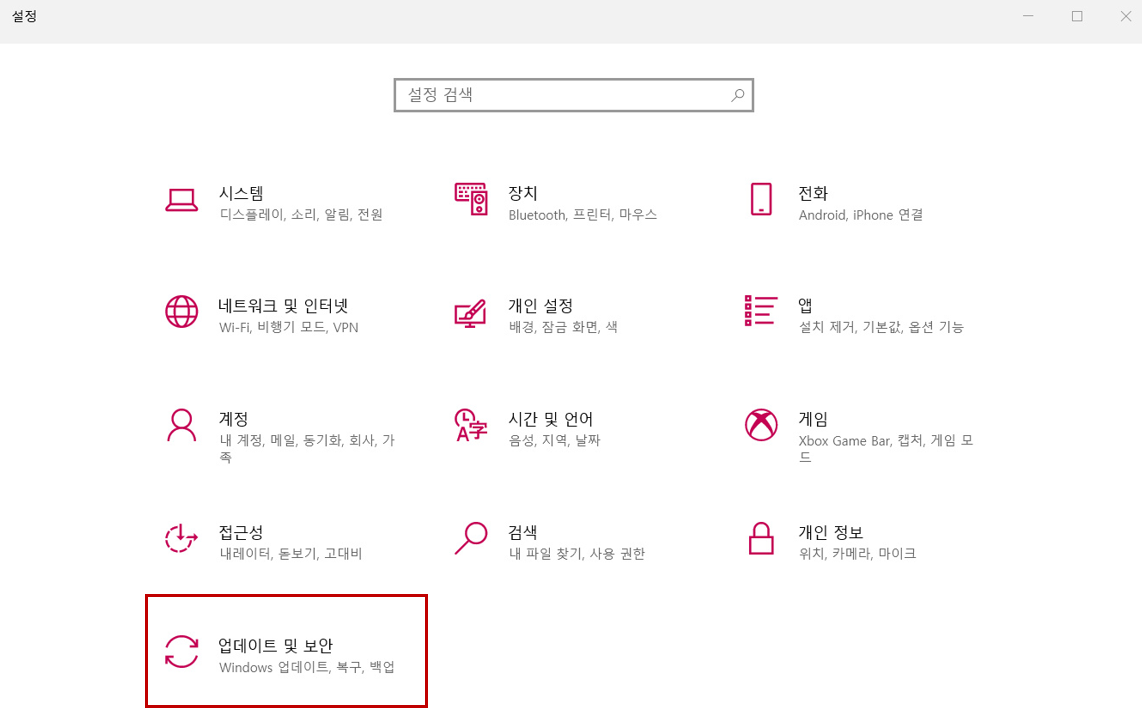
② [개발자용] 에 들어가 개발자 모드를 킨다.

728x90
'Flutter' 카테고리의 다른 글
| [Flutter] Dialog (다이얼로그), 모서리가 둥근 다이얼로그 (0) | 2023.04.20 |
|---|---|
| [AndroidStudio] 자동 완성 설정하기 (Live Templates) (0) | 2023.04.14 |
| [Flutter] 입력 폼이 포함된 화면 자연스럽게 구성하기 (0) | 2023.04.07 |
| [Flutter] 안드로이드 스튜디오 dart version 설정하기 - Windows (0) | 2023.03.23 |
| [Flutter] 위젯이 차지하는 크기 알아보기 (LayoutBuilder) (0) | 2023.03.13 |
'Flutter' Related Articles
more


